

Productivity
ClickUp
One app to replace them all — tasks, docs, goals and chat for teams
ProductivitySoftware
by monday.com Ltd.
Flexible work management your team might actually enjoy using
This page contains affiliate links. If you buy through them we may earn a commission at no extra cost to you. See our affiliate disclosure.
Best for: Teams of 5–50 that need shared visibility of work and will actually maintain the boards — especially ops, marketing and mixed-discipline teams.
monday.com is a work-management platform built around colourful, spreadsheet-like boards that flex into project trackers, CRM pipelines, content calendars and operations dashboards. Its real product is adoption: the interface is bright, immediate and satisfying in a way that gets teams updating statuses voluntarily — which, for work management, is most of the battle.
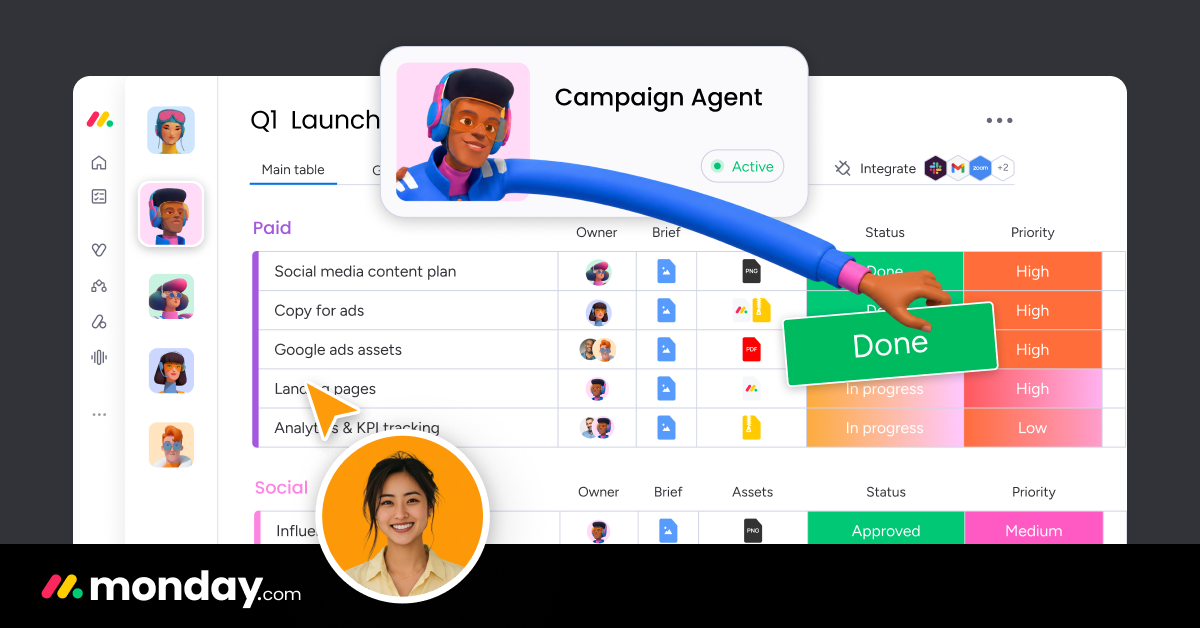
Image: monday.com.
Capability-wise it sits in the pragmatic middle: automations (status-change triggers, notifications, item creation) handle everyday coordination well; dashboards aggregate across boards usefully; and the monday products (CRM, dev, service) repackage the same engine for specific jobs. Power users will hit ceilings — complex dependencies, resource management and reporting depth trail dedicated project tools — and the per-seat cost climbs briskly through the tiers.
Two cautions from implementation experience. First, minimum seat counts mean the advertised per-seat price rarely matches a very small team's actual bill. Second, monday's flexibility is a governance risk: without a named owner, boards multiply into a sprawl no one trusts. Adopt it with a defined structure, or watch it become the new messy spreadsheet — in colour.
Full hands-on testing of monday AI is in progress; this profile reflects documented capabilities and our experience deploying monday.com for operations and project teams.
| Plan | Price | Includes |
|---|---|---|
| Free | Free | Up to 2 seats, 3 boards — evaluation only |
| Basic | $9 per seat/month | Unlimited items, 5GB storage (3-seat minimum, annual; verify) |
| Standard | $12 per seat/month | Timeline/Gantt, automations & integrations quota — the popular tier (annual; verify) |
| Pro | $19 per seat/month | Private boards, time tracking, formula column, higher quotas (annual; verify) |
Productivity
One app to replace them all — tasks, docs, goals and chat for teams
Productivity
The flexible database-spreadsheet hybrid behind countless SME internal tools
Productivity
AI meeting notetaker — records, transcribes and summarises every call
Productivity
AI calendar + project manager that auto-schedules your team's work
CRM & Sales
The best CRM software for small businesses in 2026: HubSpot, Pipedrive and Zoho CRM compared honestly, with pricing, trade-offs and a selection framework.